

Focus on Digital Learning Week 2025
28th April – 2nd May
This year, all schools in Humanities are collaborating in a week of events around the themes and tools of Digital Learning, focusing on Canvas, AI, and assessment. Sessions are 1 hour, except where noted. Most sessions will be recorded.
If you’re attending an AI session, you may like to visit our new AI for Teaching & Learning hub. This site is designed to be a one-stop shop linking you to existing university and student guidance relevant to teaching and learning, as well as practical information and advice on selected AI tools, effective prompting, and shared practice with AI.
Key:
Assessment
Canvas
AI
This week’s schedule at a glance
For full details, see the daily session information below.
| Date | Time | Session | Venue |
| 28/04/2025 | 11:00-12.00 | Insights into the development and use of a bespoke AI tool on a UG financial statement analysis module, on campus | On campus, University Place 2.219 |
| 13:00-14:00 | Canvas Go! Building and structuring your course in Canvas | Online | |
| 15:00-16:00 | Getting Started with Generative AI Images | Online | |
| 10:00-11:00 | Cadmus in Canvas | Ellen Wilkinson A3.7 | |
| 29/04/2025 | 12:00-13:00 | Learning with AI-Driven Case Studies | Online |
| 13:00-14:00 | Enhancing Formative Feedback with Cadmus: Insights from Action Research | Online | |
| 14:00-15:00 | Co-Creating on Canvas: Lessons Learned So Far – Discussion Panel | Ellen Wilkinson B2.4 | |
| 15:00-16:30 | Boost your productivity with AI tools | Online | |
| 30/04/2025 | 10:00-11:00 | Canvas Commons | Online |
| 11:00-12:00 | Bring Your Own Device (BYOD) Exams – what, why and how | Online | |
| 13:00-14:30 | Canvas Go! Building and structuring your course in Canvas | Samuel Alexander, W2.19 | |
| 15:00-16:00 | Getting Started with Generative AI Images | Online | |
| 01/05/2025 | 10:00-11:30 | Canvas Go! Assessing Student Learning | Simon 4.47 |
| 10:00-11:30 | Get started with ChatGPT and Copilot | Online | |
| 12:00-13:00 | Enhancing Learning & Assessment with Rubrics | Online | |
| 14:00-15:00 | Videos in Teaching and Learning | G.8 Booth St East | |
| 15:00-16:30 | AI-assisted Curriculum Design | Online | |
| 02/05/2025 | 10:00-11:00 | Canvas Go! Assessing Student Learning | Online |
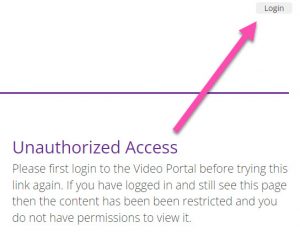
About the session recordings:
If you see an Unauthorized Access message, please remember to login to the Video Portal.
Monday 28th April
11:00-12:00 University Place 2.219
Insights into the development and use of a bespoke AI tool on a UG financial statement analysis module
Note: this is a bring your own device session. Please bring a laptop rather than a mobile phone or tablet.
Since the launch of ChatGPT-3.5 in November 2022, we have been concerned about the impact of Generative Artificial Intelligence (GenAI) tools in teaching, learning and assessment (TLA) practices with respect to UG accounting and finance students, who are located across both AMBS and SoSS. Following on from early reflections of our own experience (Dosumu et al. forthcoming), we also draw on calls for action in the accounting and finance field (Ballentine et al. 2024) to embrace the use of AI in TLA such that we focus on the needs of the student, especially the skills and knowledge required for graduate jobs in accounting and finance fields.
In this session we will explain and reflect on the experimental use of a bespoke GenAI tool introduced into the TLA on a financial statement analysis module in semester 1 2024/25. Recognising that students struggle to use GenAI models effectively, the authors developed a bespoke tool to scaffold prompt design in the use of AI in financial statement analysis, allowing students, particularly those who were sceptical or worried about using GenAI, to playfully experiment with AI in a ‘safe’ environment. We explain the pedagogical underpinning for the GenAI tool and how it can be used and provide some reflection on how it has worked for students.
Trainers:
Anne Stafford (Professor of Accounting, AMBS)
Vlad Porumb (Reader in Accounting, AMBS)
13:00-14:00 Online
Canvas Go! Building and structuring your course in Canvas
An online training session where you’ll learn to effectively create and organise your course content using essential features like pages, modules, videos, and more. This one-hour walkthrough, led by the eLearning team, will also covers tips and best practices to help you effectively create and organise your course content on Canvas LMS. No previous experience is needed—everyone is welcome!
Trainers:
Rhiannon Knowles (eLearning, Faculty)
Fernanda Tapia Birkner (eLearning, SEED)
15:00-16:00 Online (repeated on Wednesday)
Getting Started with Generative AI Images
In this session you will briefly compare the features of Adobe FireFly and Copilot. We will look at effective prompt structure to generate images and explore some of the applications of use in Academia.
This session is hands-on!
Objectives:
- Using either Adobe FireFly and Microsoft Copilot.
- Effective Prompt generation to create images.
- Explore their applications in academia.
Trainers:
Andrew Richardson (eLearning, AMBS)
Omar Ahmedmia (eLearning, AMBS)
Tuesday 29th April
10:00-11:00 Ellen Wilkinson A3.7
Cadmus in Canvas
This 1 hour training workshop introduces unit leads to Cadmus, a powerful assessment tool designed to create dynamic and inclusive assessments. Participants will explore the pedagogical potential of Cadmus and its integration with Canvas, our new Virtual Learning Environment (VLE).
The session will cover how we can use Cadmus as a tool for designing assessments that are aligned with your unit’s ILOs that encourage engagement and learning. We will guide participants in how to set up a Cadmus assignment, what settings to use, how to access submissions and mark them, and best practice in providing meaningful feedback for your students. We will also provide an overview of the features that support students with additional needs, such as ways to manage extensions efficiently, and the learner analytics which Cadmus provides.
Trainers:
Helen Perkins (eLearning, SEED)
Jo Williams (eLearning, SEED)
12:00-13:00 Online
Learning with AI-Driven Case Studies
Discover how AI and multimedia are reshaping the future of education. I’ve been developing and testing AI-powered, multimedia-rich case studies designed to boost student engagement and transform classroom dynamics.
In this session, I’ll share how these innovative case studies:
- Spark debate and encourage small-group discussions moderated and assessed by AI
- Lighten the grading load for professors with automated evaluations and insights
- Provide data-driven feedback to enhance lecture delivery
- Deepen student engagement and sharpen critical thinking
I’ll also present student survey data revealing clear preferences and cognitive patterns when comparing traditional methods to this AI-enhanced approach.
Allowing us to better understand how we can bring the classroom into the AI era—where content is dynamic, learning is interactive, and insights are actionable.
Trainer:
Dimitrija Kalanoski (Lecturer in International Business & Strategy, AMBS)
13:00-14:00 Online
Enhancing Formative Feedback with Cadmus: Insights from Action Research
This one-hour session explores how the online assessment platform Cadmus can be used to deliver more timely, personalised, and effective formative feedback—particularly within multicultural learning environments. Drawing on both the current literature on formative feedback and preliminary findings from an action research project at the University of Manchester, the session examines student preferences, common barriers to feedback engagement, and the underuse of existing feedback opportunities.
Participants will be introduced to Cadmus as a powerful tool for designing structured, scaffolded assessments that integrate formative checkpoints and enable contextualised feedback. The session will demonstrate how Cadmus aligns with evidence-based pedagogical practices to promote deeper student engagement with feedback throughout the learning journey.
In addition, the session will highlight how Cadmus can contribute to advancing the University’s strategic priorities around assessment and feedback enhancement. Through a mix of demonstration, discussion, and collaborative reflection, participants will gain practical ideas and inspiration for leveraging Cadmus to create more inclusive, student-centred feedback experiences that are scalable and sustainable across diverse educational settings.
Trainer:
Stefan Zegelmeyer (Reader in Comparative and International Business, AMBS)
14:00-15:00 Ellen Wilkinson B2.4
Co-Creating on Canvas: Lessons Learned So Far – Discussion Panel
Join us for a relaxed and welcoming discussion panel featuring academics from various schools within the Hums faculty and members of the eLearning team.
This engaging session will focus on the experience of building content on Canvas. Our panelists will share their insights on the pros and cons they’ve encountered and discuss the considerations they consider when creating course content. Whether you’re new to Canvas or looking to refine your approach, this session promises to be an informative and collaborative exploration of course building on Canvas LMS.
Panel:
Gerald Chan (Lecturer in Innovation Management, AMBS)
Jessica Mancuso (Lecturer in Sociology, SOSS)
Jaco Renken (Lecture in Information Systems, SEED)
Neil McGregor (Senior Language Tutor (English), SALC)
Yu Kit Cheung (School Lead / HNAP, SALC)
Adelaide Marshall (eLearning, SoSS)
Moderator:
Rachel Willder (eLearning, SoSS)
15:00-16:30 Online
Boost your productivity with AI tools
(1 hour, plus optional practical 30 mins)
In this session you will learn:
- key features and limitations of AI tools
- why you should choose Copilot for work
- attributing AI-enhanced work
- effective prompting techniques
Optional – 30 mins hands-on practice after the demonstration.
We will be using Copilot (copilot.cloud.microsoft) for this demonstration, but you may use the AI tool of your choice.
Thank you!
A big thank you to everyone who delivered presentations and training – and, of course, to everyone who came along to our events.
Wednesday 30th April
10:00-11:00 Online
Canvas Commons
Canvas Commons is a University wide repository for sharing resources. Users can upload their content to Commons, allowing others to import it into their own course for reuse or create a separate copy to adapt as needed. This online session will cover:
- What is Canvas Commons?
- The Commons Resource Library
- Importing a Canvas Commons Resource
- Sharing a Resource to Commons
Trainers:
Jonny Crook (eLearning, SEED)
Jo Williams (eLearning, SEED)
11:00-12:00 Online
Bring Your Own Device (BYOD) Exams – what, why and how
Concerns regarding academic integrity are increasing in relation to online, open-book, exams. One response is to use BYOD exams (on-campus exams in which students use their own devices).
This session will explain the what, the why and the how of BYOD exams. It will report on a pilot in FBMH at UoM and the mass adoption of BYOD exams at The University of Melbourne.
It will be an opportunity to discuss the potential of, and limits to, BYOD exams at Manchester.
Trainer:
Dan Rigby (Professor of Economics, SoSS)
Ben Chapman (Lecturer in Evolutionary Biology, FBMH)
Lisa Swanton (Senior Lecturer, Division of Molecular & Cellular Function, FBMH)
13:00-14:30 Samuel Alexander Building, W2.19
Canvas Go! Building and structuring your course in Canvas
(1.5 hours)
A hands-on session focused on using essential features like Canvas’ ‘module’ system, adding content using pages, videos, file uploads, and more. Bring your computers and dive into practical exercises guided by the eLearning team. No previous experience is needed—everyone is welcome! This session also covers tips and best practices to help you effectively create and organise your course content on Canvas LMS. Bring your own device.
Trainers:
Edmund Aspbury (eLearning, Faculty)
Fernanda Tapia Birkner (eLearning, SEED)
15:00-16:00 Online (repeated from Monday)
Getting Started with Generative AI Images
In this session you will briefly compare the features of Adobe FireFly and Copilot. We will look at effective prompt structure to generate images and explore some of the applications of use in Academia.
This session is hands-on!
Objectives:
- Using either Adobe FireFly and Microsoft Copilot.
- Effective Prompt generation to create images.
- Explore their applications in academia.
Trainers:
Andrew Richardson (eLearning, AMBS)
Omar Ahmedmia (eLearning, SoSS)
See Monday’s session opposite for video recording.
Thursday 1st May
10:00-11:30 Simon 4.47
Canvas Go! Assessing Student Learning
(1.5 hours)
An interactive session designed to help you set up written assessments, grade and provide effective feedback, and more. Bring your computers and engage in practical exercises led by the eLearning team. This session is open to everyone, regardless of prior experience. We will also offer advice on setting assessments and best practices to enhance your assessment strategies on Canvas LMS. Bring your own device.
Trainers:
Rhiannon Knowles (eLearning, Faculty)
Edmund Aspbury (eLearning, Faculty)
See Friday’s session below for a video recording of the online version.
10:00-11:30 Online
Get started with ChatGPT and Copilot
(1.5 hours)
ChatGPT is an AI tool that can perform a range of tasks prompted by user input or dialogue. Microsoft Copilot is built on ChatGPT but works more closely with Microsoft applications including Word, PowerPoint, Teams, and SharePoint. In this session you will briefly compare the features of paid and unpaid versions of ChatGPT and Copilot. You will then log into unpaid versions of both ChatGPT and Microsoft Copilot (web version) to compare their functionality and fit for your practice.
This session is hands-on!
Session Leaders:
Christine Lampe (eLearning, AMBS)
Graham Holland (eLearning Support Officer, SALC)
More sessions are available: book via the Training Catalogue
12:00-13:00 Online
Enhancing Learning & Assessment with Rubrics
Join us for an interactive session exploring how Assessment Rubrics can help improve assessment, feedback and learning. This session will provide practical insights and tools to enhance your teaching.
Part 1 – Understand the nature of rubrics, and their potential benefits, which include:
- helping students to produce higher quality work
- improving the clarity and consistency of feedback
Part 2 – Learn how AI can assist in the development of robust rubrics that support the assessment process.
Trainers:
Charlotte Warden (eLearning, SoSS)
Dan Rigby (Professor of Economics, SoSS)
14:00-15:00 G.8 Booth St East
Using Videos in Teaching & Learning
In today’s digital age, video has become a powerful tool for engaging students, enhancing learning experiences, and making complex concepts more accessible. This interactive training session will explore how educators can effectively integrate video into their teaching practice to boost student engagement, improve knowledge retention, and support diverse learning styles. We will explore new and existing tools (e.g. Canvas Studio and Box of Broadcasts) with the aim of upskilling and encouraging this practice within your delivery.
Trainers:
Gary Vear (eLearning, AMBS)
Jo Williams (eLearning, SEED)
15:00-16:30 Online
AI-assisted Curriculum Design
(1 hour, plus optional practical 30 mins)
In this session you will learn effective prompting techniques to assist the design and development of programmes and course units, including:
- curriculum mapping
- refining/generating ILOs
- digital capabilities and employability
- teaching and learning methods
- constructively aligned formative and summative assessments
Optional – 30 mins hands-on practice after the demonstration.
We will be using Copilot (copilot.cloud.microsoft) for this demonstration, but you may use the AI tool of your choice.
Log in before the session: Prior to the session, we recommend that you log into Microsoft Copilot using your university account–or the AI tool or your choice.
Click here for Copilot or find it on your Edge browser (Windows laptops)–more functionality
Session Leaders:
Christine Lampe (eLearning, AMBS)
Alastair Wehbeh (eLearning, SALC)
Friday 2nd May
10:00-11:00 Online
Canvas Go! Assessing Student Learning
An online training session will guide you through setting up written assessments, designing rubrics, and providing meaningful feedback. This one-hour walkthrough, led by the eLearning team, will also offer advice on setting evaluations and best practices to enhance your assessment strategies on Canvas LMS. Everyone is welcome, regardless of prior experience!
Trainers:
Rhiannon Knowles (eLearning, Faculty)
Edmund Aspbury (eLearning, Faculty)

Meet the Team 2025
This week was brought to you by…
Edd Aspbury (eLearning Support Officer - Faculty)
 I am an eLearning Support Officer. I come to eLearning after many years as a teacher and recently as a lecturer in Education.
My main role is training and supporting staff to create engaging courses in our new learning management system; Canvas.
I’ll be co-delivering the Canvas Go! sessions.
Fernanda Tapia Birkner (Learning Designer - SEED)
 I am a new Learning Designer in the SEED department, supporting academics at the Faculty level in transitioning from Blackboard to Canvas.
My role involves co-creating course examples and enhancing our Canvas training offerings. We aim to integrate the valuable experiences of academics and colleagues while incorporating pedagogical considerations to maximise the effectiveness of Canvas for learning.
I am keen to bring a human-centred approach to developing meaningful learning experiences, embedding academic experiences, student voices, constructive alignment, universal design, and collaboration into my work and learning journey.
I’ll be co-delivering the Canvas Go! Building and structuring your course in Canvas sessions, and will be on the panel for Co-Creating on Canvas: Lessons Learned So Far.
Jonny Crook (Learning Technologist - SEED)
 I’m a Learning Technologist specifically supporting SEED.
I am the Service Area lead for ‘Extended Reality (XR) which covers virtual reality, augmented reality and mixed reality technology.
Recently we have been supporting academic colleagues in exploring and using this technology to support teaching and learning. I’ll be running two ‘hands-on’ sessions during the week where you can find out more about this technology and have a go with the equipment.
Rhi Knowles (Learning Technologist - Faculty)
 I’m a Learning Technologist based in the Faculty.
I started working at the University in January 2023, after six years’ experience in educational technology and higher education. I worked in the Faculty of Biology, Medicine and Health’s eLearning team before moving to Humanities’ in January 2025.
My main responsibilities include delivering effective Canvas training for staff as we move away from Blackboard this year. It’s an exciting but busy time, and we’re here to support you.
See you at our Canvas Go! training sessions!
Christine Lampe (Learning Designer - AMBS)
 I am a Learning Designer working primarily with colleagues in AMBS to support the design and development of programmes and course units. I work closely with academics to help develop curricula that promote engagement, inclusion, authentic assessment, digital skills, and employability.
For this week, I’ll be co-delivering the Getting Started with ChatGPT and Copilot session.
Helen Perkins (Learning Designer - SEED)
 I’m a Learning Designer and work predominantly with SEED colleagues on new programmes, programme amendments and unit developments.
I support colleagues to consider the design of teaching, learning and assessment, as well as broader curriculum issues such as sustainability, employability and inclusion.
Gary Vear (Learning Technologist - AMBS)
 I am a Learning Technologist, based in AMBS.
I joined the University of Manchester in March 2023 after over a decade in the eLearning sector across further and higher education.
My main responsibility is to support the use of audio-visual tools (e.g., Box of Broadcasts), collaborative tools (e.g., Padlet), and extended reality products (e.g., Meta Quest 2 VR headsets) to enhance teaching and learning.
This week, I’ll be co-delivering the Using Videos in Teaching & Learning session.
Charlotte Warden (Learning Designer - SoSS)

I’m a Learning Designer working mainly with SoSS colleagues on new programmes, programme amendments and unit developments.
The learning design team work collaboratively with academic colleagues to support the design of teaching, learning and assessment at unit and programme level.
This includes exploration of broader curriculum elements such as Equality Diversity and Inclusion, Social Responsibility, Employability, Sustainability and Digital Capabilities.
For the Digital Focus Week, I’ll be co-delivering the Rubrics session with our academic eLearning lead, Dan Rigby.
Alastair Wehbeh (Learning Designer - SALC)

I am the learning designer for the School of Arts, Languages and Culture. I have a background in teaching innovation and lecturing, teacher training, curriculum design and delivery, and educational theory, methodology and practice. Advance HE Senior Fellow (SFHEA) PhD Biblical Studies (in process) MA Biblical Interpretation MA Applied Linguistics and ELT BA Hons English Lit.
For this week, I’ll be co-delivering the Getting Started with ChatGPT and Copilot session.
Rachel Willder (Learning Technologist - SoSS)
 I’m a Learning Technologist for SoSS, and am the service area lead for online exams. I work closely with eLearning colleagues and PS staff to promote exam robustness and decrease academic malpractice.
This week, I’ll be on the Co-Creating on Canvas: Lessons Learned So Far – Discussion Panel.
Jo Williams (eLearning Support Officer - SEED)
 I am an eLearning Support Officer, based in SEED.
The main areas I work in our online exams and assessments and accessibility, though I also help support learning design projects, VR/XR sessions and working closely with Professional Services colleagues to support them with student queries and digital tools.
I’m also keen on exploring ways we can embed student voice into our practice to enhance teaching, learning and student experience.
This week, I’ll be co-delivering the Cadmus in Canvas and Using Videos in Teaching & Learning session.